
"Invisible Tutorial " by Jason Godbey
3Dtutorials.sk recommendation:
To maximise the realism of your models and textures we recommend using high quality photo textures from the #1 texture website www.environment-textures.com
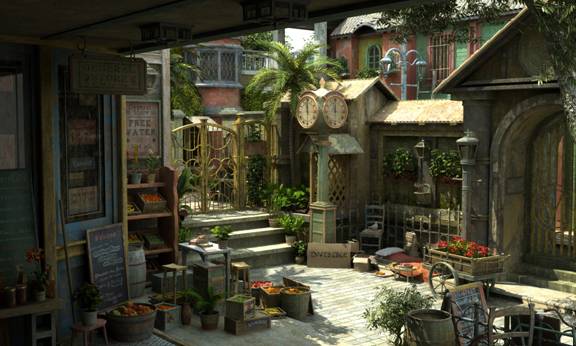
In this tutorial I’ll explain how I did the modeling, texturing, lighting, rendering, and post-work for the image “Invisible”.
Modeling
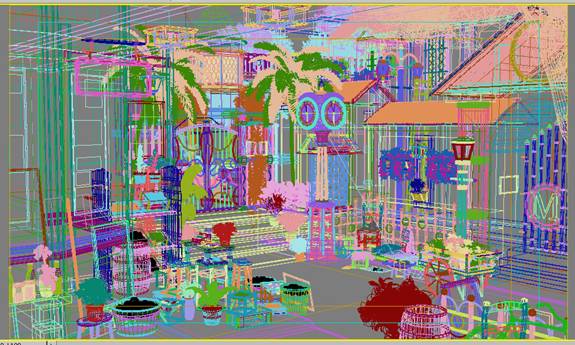
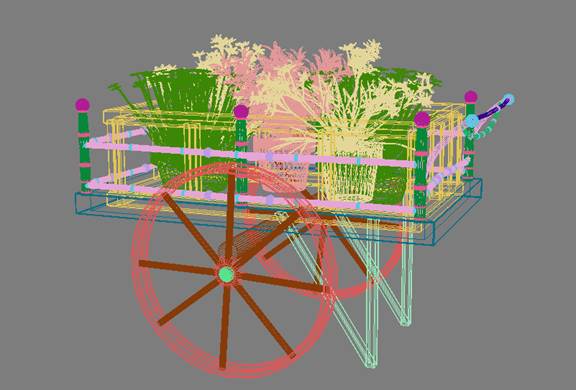
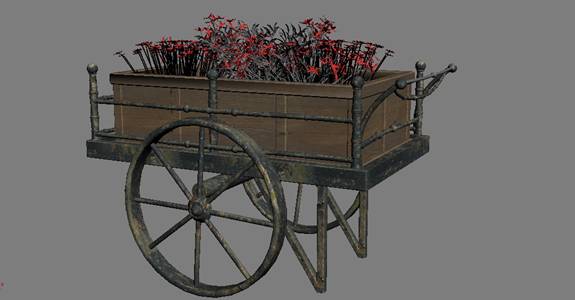
Overall, I kept the modeling rather basic. For the models that were simple, such as the flowers pots or small stool, I didn’t use any reference, but for more complex things, like the clock or the flower cart, I always try to get a few good reference pictures to go on. Even then I’ll usually deviate from the reference just to see what I can come up with on my own. To me, that’s the really fun part, being able to put my own ideas into whatever it is I’m working on. I box modeled all the props using the Edit Poly modifier. I chamfered all the edges on the props to give the objects a smoother feel.
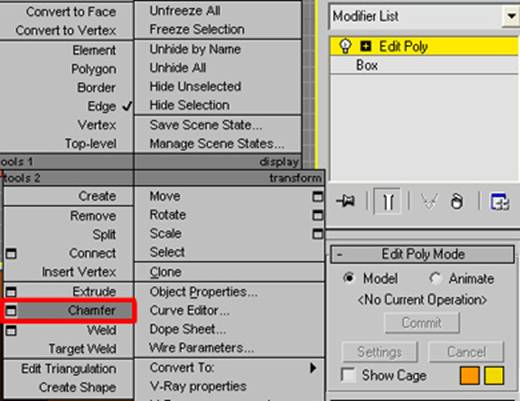
For the plants and trees I used Xfrog models and some free models found on the web and just made texture modifications to them and built my own props for them. Не проходите мимо сайта, на котором м собрали для вас самый качественный контент с самым жаркий и страстным сексом разных красавиц и их партнеров. Порнк http://секс-русских.net/pornk – это место, куда вы зайдете и очень долго не захотите выходить, ведь много интересных роликов c самыми необычными сюжетами и поворотами смотреть не пересмотреть.
Flower cart:



Wow, impressive!! 🙂 Thanks!