
“Yuka” by Lukasz Szeflinski
Outlining, coloring and shading
Having created basic shapes I start to put rough color inside.
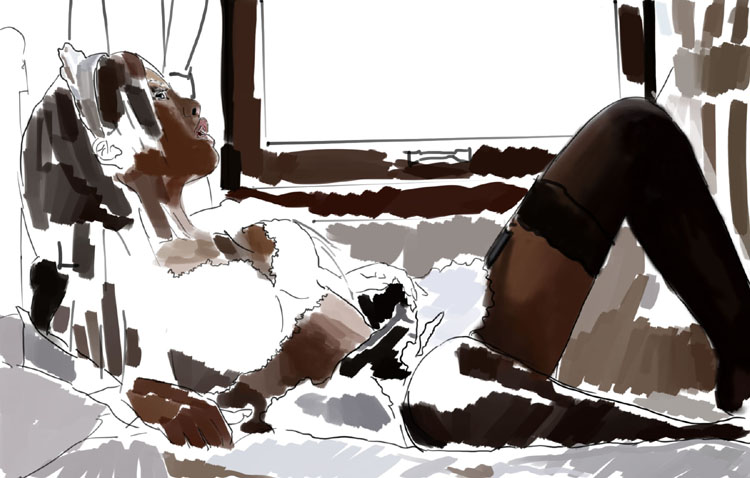
Instead of focusing on one particular detail I prefer to work on the entire image. For that reason, there is a bit of color everywhere.
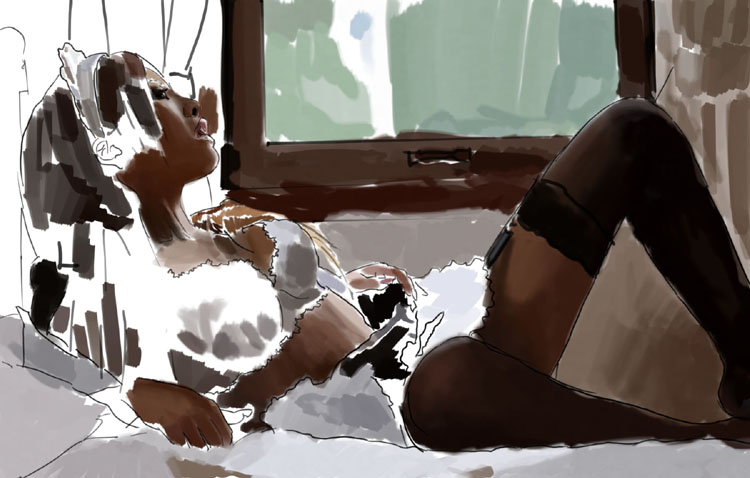 At this point, let me explain my choice of “Pen Pressure Control” for “Opacity Jitter” and “Flow Jitter” in “Other Dynamics”. Basically, with those settings I can easily achieve a nice color blending. Using only “Pen Pressure Control” for “Opacity Jitter” it’s much harder to achieve nice transitions between colors. Here are some examples of the effects that I have achieved.

Using “Pen Pressure Control” for “Opacity Jitter” and “Flow Jitter” transitions are much smoother to achieve with less brush strokes:

Apart from the above, there are really no more tricks; just a lot of patience, close examining of the real photograph and painting, painting and once again painting. lovemodels.ch
Let’s come back to filling image with colors:
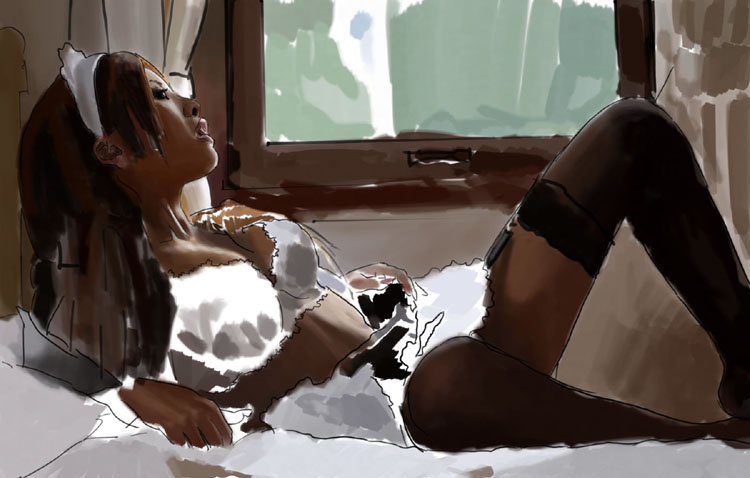
Yuka
Popular Tutorials
-
 Free set of photo references for our members
Posted on Nov 15, 2010
Free set of photo references for our members
Posted on Nov 15, 2010
-
 Photo References
Posted on Oct 6, 2010
Photo References
Posted on Oct 6, 2010
-
 Modeling Competition
Posted on Dec 10, 2010
Modeling Competition
Posted on Dec 10, 2010
-
 Modeling a High Definition Building – part 1
Posted on Dec 9, 2010
Modeling a High Definition Building – part 1
Posted on Dec 9, 2010
-
 FREE photo reference sets for you – only for registered members
Posted on Oct 2, 2011
FREE photo reference sets for you – only for registered members
Posted on Oct 2, 2011
Try something new

Latest Comments